Microsoft SharePoint Online Course

5/5

Infibee Technologies provides the Best Microsoft SharePoint Online Training with global certification and 100% placement guidance.

KickStart your career with our Microsoft SharePoint Online Course with guided by 12+ years of industry experienced experts, affordable course fees, hands-on mock projects, resume preparation, interview preparation, and dedicated placement training to make you job-ready. Learners will have access to recorded sessions of live classes for a lifetime, which makes it easy for them to learn and revise anytime and anywhere.

Join our Microsoft SharePoint Online Training Institute and ignite your Microsoft SharePoint career future with high-paying jobs in top companies.

Live Online :

25 hrs of E-Learning Videos
4.7
4.8
4.7

Microsoft SharePoint Online Course Overview

Infibee’s Microsoft SharePoint Online Course is designed to provide practical and industry-oriented knowledge of SharePoint technologies used for enterprise collaboration, document management, workflow automation, and business productivity. This Microsoft SharePoint Online Training itself is a strong platform created by Microsoft, it helps organizations manage documents, automate workflows, build intranet portals, and generally improve team communication across the board .

Microsoft SharePoint plays an important role in modern business operations by streamlining document sharing, content management, team collaboration, and data security. Organizations use SharePoint to centralize business information, manage approvals, integrate enterprise applications, and improve productivity. This Microsoft SharePoint Online Course helps students as well as working professionals gain real skills in SharePoint Online, Microsoft 365 integration , Power Automate workflows, lists , libraries, permissions management, and collaboration tools.

The future scope looks strong too, since companies everywhere are moving toward cloud collaboration and digital workplace solutions. If you take the Microsoft SharePoint Online Training, it can open career paths in administration, development, business process automation, plus enterprise collaboration management.

Microsoft SharePoint Course Topics Covered Applications of Microsoft SharePoint Online Course Tools Used
SharePoint Online Fundamentals Document Management Microsoft 365
Site Collection Administration Team Collaboration SharePoint Online
Lists and Libraries Workflow Automation Power Automate
Permissions & Security Intranet Portal Development Power Apps
Content Management Business Process Management Microsoft Teams
Workflow Creation Enterprise Collaboration OneDrive
SharePoint Migration Data Sharing & Reporting SharePoint Designer
Power Platform Integration File Management Microsoft Azure
Customization & Branding Knowledge Management Visual Studio Code
Reporting & Governance Cloud Collaboration Microsoft Admin Center

Why Choose Infibee Technologies for a Microsoft SharePoint Online Course? – Key Highlights

  • Expert-led Microsoft SharePoint Training

  • Real-time projects and hands-on labs

  • Affordable Microsoft SharePoint course fees

  • Flexible online and classroom modes

  • Certification-oriented curriculum

  • Resume, interview & placement support

  • Lifetime access to recorded sessions

Best Microsoft SharePoint Institute Online – Get Certified with Infibee Technologies

Infibee Technologies is one of India’s leading Microsoft SharePoint Online Training Institutes , where they offer advanced, industry-focused Microsoft SharePoint Online Course for students freshers and working professionals too. This training curriculum is set up to match today’s enterprise needs and the modern cloud collaboration standards that multinational companies usually follow.

Our Microsoft SharePoint Online Training is guided by highly experienced trainers, they have 10+ years of real-time industry expertise in SharePoint administration, SharePoint Online migration, Microsoft 365 implementation, workflow automation , and enterprise collaboration solutions. These trainers also provide practical exposure, like live projects, business use cases, workflow implementation, and real corporate scenarios so learners don’t just memorize things.

Infibee Technologies focuses on practical teaching methodology where students work on SharePoint Online administration, document libraries, lists, and workflows, plus Power Automate integration. They also cover permissions management, intranet portals, and the Microsoft Teams collaboration environments, and generally more. In other words, students develop a full understanding of cloud based business collaboration tools that top organizations use around the world.

Also, the Microsoft SharePoint Online Classes includes resume preparation, mock interviews, technical assessments, placement support, and career guidance. This helps candidates attend interviews with confidence and then secure high-paying jobs. With affordable course fees and flexible learning schedules, Infibee Technologies has already helped 500+ students get placed in leading MNCs and top software companies.

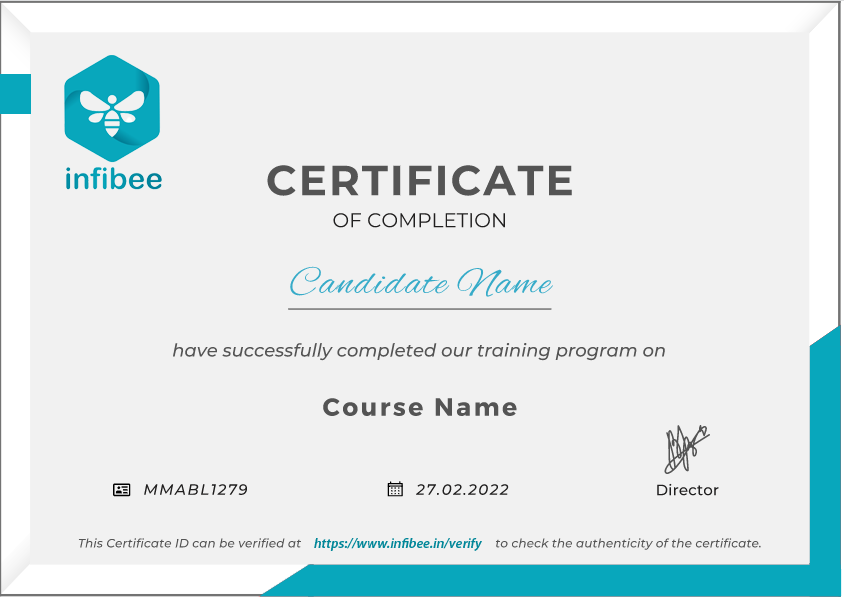
Certification Providing

At Infibee Technologies, we deliver complete guidance for Microsoft SharePoint certification, including mock examinations, practical project support, and interview preparation sessions to help learners clear international Microsoft certification exams with confidence and a little less stress.

Alumni Hired by Top MNC Companies

  • TCS

  • Infosys

  • Wipro

  • Accenture

  • HCL

  • Capgemini

Modes of Microsoft SharePoint Training at Infibee Technologies

  • Online Instructor-Led Training

  • Self – Paced Training

  • Corporate Training

  • Weekend & Fast-Track Batches

Global Certifications Available for Microsoft SharePoint Online Training (Cost in INR)

S.No Certification Code Approx Cost (INR) Certification Expiry
1 MS-900 ₹7,000 No Expiry
2 MS-100 ₹13,500 1 Year
3 MS-102 ₹13,500 1 Year
4 PL-900 ₹7,000 No Expiry

Benefits of Learning Microsoft SharePoint Online Training

  • High demand across enterprises

  • Strong integration with Microsoft 365

  • Global career opportunities

  • Improves collaboration & automation skills

  • Suitable for IT & non-IT professionals

  • Competitive salary growth

What You’ll Learn

  • SharePoint Online architecture

  • Site & content management

  • Lists, libraries & permissions

  • Workflow automation

  • Power Automate & Power Apps

  • SharePoint administration

Who Can Join?

  • Fresh graduates

  • Working IT professionals

  • System administrators

  • Developers

  • Business analysts

Career Opportunities in Microsoft SharePoint Certification Online Training

Experience Level Job Role Salary (LPA)
Freshers (0–3 yrs) SharePoint Trainee 3–4.5
Junior SharePoint Executive 4–5.5
SharePoint Support Analyst 4–5
Mid-Level (4–8 yrs) SharePoint Developer 6–10
Senior SharePoint Engineer 8–12
SharePoint Consultant 8–12
Senior (9+ yrs) SharePoint Architect 12–18
SharePoint Practice Lead 15–20
Specialized Roles SharePoint Security Specialist 10–15
Power Platform SharePoint Expert 10–15
SharePoint Migration Specialist 12–18

Who’s Hiring Microsoft SharePoint Professionals?

  • TCS

  • Infosys

  • Accenture

  • Cognizant

  • IBM

  • Capgemini

Can I Study Microsoft SharePoint Course in Other Locations?

Yes! Infibee Technologies offers Microsoft SharePoint Training across major cities through online mode including:

With expert mentors, practical training, and placement support, Infibee remains the No.1 choice for Microsoft SharePoint aspirants across India.

How to Register for Microsoft SharePoint at Infibee Technologies?

Step 1: Register for a Free Demo

  • Visit our website and submit the inquiry form

  • Attend a free demo session

Step 2: Select Your Training Mode

  • Choose online, classroom, or corporate training

  • Confirm batch timing

Step 3: Start Your Microsoft SharePoint Journey

  • Learn from expert instructors

  • Work on real projects

  • Prepare for Microsoft SharePoint Certification Online

Enroll Today: Unlock Your Microsoft SharePoint Online Training Potential!

Join Infibee Technologies and master SharePoint with expert-led Microsoft SharePoint Training. Enroll now in the best Microsoft SharePoint Online Training Institute and build a future-ready career with certification, placement support, and global opportunities.

Read More...
Get In Touch With Our Career Expert

Upgrade Your Skills & Empower Yourself

Why People Choose Infibee ?

Upcoming Microsoft SharePoint Online Course Batches

01-06-2026
Mon-FriWeekdays Regular
08:00 AM & 10:00 AM Batches(Class 1Hr - 2Hrs) / Per Session
27-05-2026
Mon - FriWeekdays Regular
06:00 PM & 08:00 PM Batches(Class 1Hr - 2Hrs) / Per Session
29-05-2026
Sat-SunWeekend Batch
09:00 AM & 01:00 PM Batches(Class 2Hr - 4Hrs) / Per Session
Can't find a batch? Pick your own schedule

Microsoft SharePoint Online Training Syllabus

Join our SharePoint Online Training! Our syllabus covers essential SharePoint methodologies, collaboration tools, and advanced techniques. Our practical projects are led by industry experts, empowering you to manage SharePoint processes effectively in this growing tech hub. Perfect for freshers and experienced professionals aiming to enhance their expertise in SharePoint.


  • Office 365 versus SharePoint Foundation 2013 versus SharePoint Server 2013
  • SharePoint 2013 architecture
  • SharePoint Farms
  • SharePoint Service Applications
  • SharePoint Web applications
  • Site Collections and Sites
  • Lists and Document Libraries
  • Site Columns and Content Types
  • Site Templates and Site Definition
  • What is SharePoint development all about?
  • What are the skills needed?
  • Your development environment
  • Windows PowerShell and SharePoint
  • Server-Side API overview
  • Server-Side Data Access
  • CAML queries
  • LINQ Primer
  • LINQ for SharePoint
  • Introducing SharePoint Solutions
  • Farm Solutions vs Sandboxed solutions
  • Creating a SharePoint Solution
  • Adding and Deploying SharePoint Solutions with Visual Studio
  • Deploying SharePoint Solution packages using Powershell
  • Introducing Features
  • Building Features using Visual Studio
  • Installing, Activating, Deactivating and Uninstalling Features
  • Feature Receivers
  • Working with the Property Bag
  • Feature Stapling
  • Feature and Solution Dependencies
  • Upgrading Features and Solutions
  • Handling Web Related Events
  • Handling List Related Events
  • Handling Item Related Events
  • Introduction to Web Parts
  • Creating Custom Web Parts
  • Visual Web Parts
  • Exposing Web Part Properties
  • Connectable Web Parts
  • Web Part Pages vs Wiki Pages vs Application Pages
  • Provisioning Pages with Modules and Features
  • Developing Application Pages
  • Job Definition Object Model
  • Developing, deploying and debugging a Custom Job Definition
  • Field Types and Field Controls
  • Site Columns and Content Types
  • List Definitions and Templates
  • Site Definitions
  • Web Templates
  • Introducing SharePoint 2013 Client API
  • SharePoint 2013 Client Side Object Model
  • Programming with CSOM in .NET, JavaScript and Silverlight
  • REST and OData Fundamentals
  • SharePoint 2013 REST API
  • Programming with REST
  • Programming SharePoint Navigation
  • Extending the Ribbon User Interface
  • Dialog and Notification Framework
  • Basic JSLink syntax
  • Using JSLink in Web Parts, Content Types, Fields and Lists
  • Using JSLink in Features and code
  • Performance impact
  • Why apps?
  • SharePoint 2010 Development Challenges
  • App Principles
  • App web & host web
  • SharePoint 2013 developer tools in Visual Studio
  • Provider-hosted and SharePoint-Hosted Apps
  • Design considerations
  • Developing App Parts and Custom actions
  • Deployment of SharePoint apps
  • Remote Event Receivers scenarios
  • Developing Remote Event Receivers
  • Remote Event Receivers in SharePoint apps
  • Upgrading apps with Remote Event Receivers
  • Authentication & Authorization
  • Claims Based Authentication
  • Programming Security
  • Securing Apps
  • Understanding the Workflow Architecture
  • Creating Workflows with SharePoint Designer 2013
  • Creating Workflows with Visual Studio 2012
  • BCS Architecture
  • Creating & Using External Content Type Models
  • BCS Apps
  • .NET Assembly Connectors
  • Authentication Options
Need customized curriculum?
Build Resume & Get PlacedPlacement Support With Resume Preparation & Interview Guidance

Hands-On Microsoft SharePoint Projects

Enroll in our Microsoft SharePoint Online training, where our courses focus on providing high-quality training covering core concepts and practical applications. Participants will benefit from exposure to real-world industry use cases and scenarios, enhancing their skills and enabling them to execute real-time projects using industry best practices. Gain hands-on experience and develop a solid foundation in enterprise integration and process orchestration.


Document Management System

  •  Organise company documents.
  • Ensure easy access and retrieval.
  • Implement version control.

Team Collaboration Hub

  • centralize team communication.
  • Share updates and resources.
  • Track project progress.

Employee Onboarding System

  • Streamline new hiring processes.
  • Provide training materials.
  • Track onboarding progress.

For Corporates

Educate your workforce with new skills to improve their performance and productivity.

Corporate Training
"Leading Companies We've Served"
No data was found
Our Instructor
Name
Mr. Anand
Experience
11 years
Specialized in
Microsoft Technologies,Sharepoint, Sharepoint Admin
More Details
Anand has got 10+ years of industrial experience working for global MNCs. He chose to deliver online training and contribute informative articles and blogs to various websites to share his technical expertise.

Microsoft SharePoint Course Training Objectives

Our Best Microsoft SharePoint Online Course Training aims to empower participants with complete skills and practical knowledge in this field. Objectives provide you with mastering core concepts, applying skills through real-world projects, critical thinking, and ensuring professional challenges. This enhances career development and contributes to industry advancement.

SharePoint training helps you develop the skills you need to manage SharePoint projects efficiently, create dashboards, develop InfoPath forms, build apps, workflows, and forms through hands-on experience with real-world examples. Our training is designed as per the SharePoint updates, which helps you clear the SharePoint certification exam.

  • Understand site hierarchy and related items
  • Learn how to create custom lists and libraries in SharePoint
  • Customize the website to provide the feel of the corporate website
  • Create external lists using BDC
  • Create and activate the workflows in Sharepoint
  • Secure and grant permissions to users in SharePoint groups
  • Identify and implement various lists, web parts, and libraries

The prerequisites to learn SharePoint training online is to have a great knowledge of Visual Studio, ASP .NET, and .NET framework.

  • IT professionals
  • Software Developers
  • IT Service Managers
  • Business Managers
  • Yeah, of course, certification will play a significant role in building up your career.
  • Most among leading global organizations prefer only Certified SharePoint professionals than others during recruitment.

Job Assistance Program

Our Job Assistance Programme offers you special guidance through the course curriculum and helps in your interview preparation.

Specialised Curriculum
Get on-field knowledge and skills from our expert instructors.
Assessment
Upgrade your on-field skills with our assessments and track your progress in real time.
Hands-on Project
Our hands-on project help you gain experience in real-time working.
Certification Guidance
A global certificate always helps you stand out from the crowd.
Portfolio Building
Experts guide you to maximise your profile with current industry trends that employers expect.
Placment Cell
We promote your abilities and showcase your portfolio to employers.

Microsoft SharePoint Career Opportunity

Microsoft SharePoint is a powerful enterprise collaboration and content management tool that helps organizations streamline business processes, enhance information visibility, and optimize team collaboration. By leveraging SharePoint, companies can boost operational efficiency, reduce costs, manage risks effectively, and ensure high-quality service delivery, thereby staying competitive in the market. Professionals skilled in SharePoint are highly sought after in the IT industry, with certified individuals typically earning an average annual salary of 12-18 LPA (Indian Rupees).

Annual Pay Scale
Employers
Annual Salary
Hiring Companies

Placement Guidance & Interview Preparation

Infibee’s placement guidance navigates you to your desired role in top organisations, ensuring you stand out and excel in every opportunity.

images
I joined Infibee in order to take a Data Science Course. Being from a non-IT background, I believe that being an IT Professional will be difficult for me. But now I believe that joining Infibee is the best decision I've ever made. My overall experience has been excellent. The teaching and non-teaching staff are both excellent. I will never forget the experience I had with Infibee. Thank you for your help and support, Infibee.
Muthu krishnan
I graduated without an IT background, but Infibee has helped me advance my career as a data scientist. Here, mentors are very helpful. With the right guidance and dedication, you can achieve your dreams. Self-study is also crucial if you want to stand out from the crowd and seize your opportunities.Companies frequently visit Infibee for placements and take some incredible talent with them.
Pranali
I enrolled in Infibee's PG Data Science course. The training experience was excellent, with 80% practical training and 20% theory, which was extremely beneficial. I learned a great deal. My placement process began after I completed my course, and I am now working as an RPA and Data Science Intern at rsutra. Nisha Mam was extremely helpful during the placement process.

Yuvaraj
The courses on Infibee are excellent. It has great value. I was non IT person and joined for Data Science course it was really helpful and interesting learning with Infibee. Teachers are also incredible they did an excellent job of ensuring that we understood each concept. Excellent job setting up the mock test and interview. I enjoyed finding more skill out of me from Infibee.I appreciate Infibee's assistance in advancing my career.
Lavanya
I completed Full Stack Development Course at infibee. Infibee is the best training institute. My trainer taught us the best concepts out there. His teaching skills are great. They are having lots of knowledge. The way of teaching is also good. I am satisfied with the course. Glad to have found this institute.
Madhaiyan Madhan

Microsoft Sharepoint FAQ'S

Infibee Microsoft Sharepoint Online Training offers a wide range of services that suits both fresher and experienced persons via both offline and online at your suitable time slots.

You need not worry about having missed a class. Our dedicated course coordinator will help them with anything and everything related to administration. The coordinator will arrange a session for the student with trainers in place of the missed one.

Yes, of course. You can contact our team at Infibee Technologies, and we will schedule a free demo or a conference call with our mentor for you.

We provide classroom, online, and self-based study material and recorded sessions for students based on their individual preferences.

Yes, all our trainers are industry professionals with extensive experience in their respective domains. They bring hands-on practical and real-world knowledge to the training sessions.

Yes, participants typically receive access to course materials, including recorded sessions, assignments, and additional resources, even after the training concludes.

We provide placement assistance to students, including resume building, interview preparation, and job placement support for a wide range of software courses.

Yes, we offer customisation of the syllabus for both individual candidates and corporate also.

Yes, we offer corporate training solutions. Companies can contact us for customised programmes tailored to their team’s needs.

Participants need a stable internet connection and a device (computer, laptop, or tablet) with the necessary software installed. Detailed technical requirements are provided upon enrollment.

In most cases, such requests can be accommodated. Participants can reach out to our support team to discuss their preferences and explore available options.

People Also Refer To Similar Courses

We offer courses that help you improve your skills and find a job at your dream organisations.

Hadoop Training in Anna Nagar
5/5
MySQL Training in Anna Nagar
5/5
Jira Training in Anna Nagar
5/5
Python with Django and Flask Training in Anna Nagar
5/5
Other Courses

Courses that are designed to give you top-quality skills and knowledge.

Hadoop Training in Anna Nagar
5/5
MySQL Training in Anna Nagar
5/5
Jira Training in Anna Nagar
5/5
Python with Django and Flask Training in Anna Nagar
5/5
Japanese N1 Training in Anna Nagar
5/5
GERMAN A1 Training in Anna Nagar
5/5
Hadoop Training in Anna Nagar
5/5
MySQL Training in Anna Nagar
5/5
Jira Training in Anna Nagar
5/5
Python with Django and Flask Training in Anna Nagar
5/5
Japanese N1 Training in Anna Nagar
5/5
GERMAN A1 Training in Anna Nagar
5/5

Get In Touch With Our
Career Expert

Upgrade Your Skills & Empower Yourself