Infibee Technologies is one of India’s no.1 MS Office Courses in Bangalore, with a global certificate and assured 100% placements.
Ignite your career a boost by getting MS Office Training by Infibee Technologies in Bangalore. The training is imparted by instructors having an experience of 10+ years in the industry. As a trainee, you will learn practically via the live sessions, mock projects, and real-world scenarios. You also get lifetime access to recorded sessions, resume building, interview prep sessions, and placement training at minimal charges. All most of it serves as an anchor to provide skill knowledge including job-ready in the real-world applications of MS Office tools.
Enroll for MS Office Training in Bangalore and avail of placements in agencies with high paying salaries.
Begin your career with MS Office Course in Bangalore, offering industry-recognized training in infibee Technologies. This course aims to impart deep knowledge in Microsoft Office tools: Word, Excel, PowerPoint, Outlook, Access, making the candidate immediately job-ready with skills-based training.
MS Office Training in Bangalore serves as a platform whereby students and professionals or corporates acquire the know-how of using important business productivity tools to make their work efficient.
Course Topics Covered
Applications of MS Office Course
Tools Used
MS Word – Documentation
Resume building, reports, official letters
MS Word
MS Excel – Data Management
Data analysis, finance, HR, sales reports
MS Excel
MS PowerPoint – Presentations
Corporate presentations, project reports
MS PowerPoint
MS Outlook – Email Management
Business communication, scheduling
MS Outlook
MS Access – Database Management
Storing, retrieving, and managing data
MS Access
Why Choose Infibee Technologies for MS Office Course in Bangalore?
10+ industry-experienced trainers
Hands-on projects and real-time scenarios
Resume preparation & interview guidance
Affordable course fees
Lifetime access to recorded sessions
Mock tests and certification support
100% placement assistance
Best MS Office in Bangalore – Get Certified with Infibee Technologies
Located right at the heart of Bangalore, Infibee Technologies is undoubtedly the most deserving training institute for MS Office Training in Bangalore. Having more than 10 years of experience, our professional training institute aims at career-oriented learning so that you may gain skills relevant to the prevailing corporate scenario. Our MS Office Course combines theoretical knowledge with practical exposure, thus assuring the application of both conceptual and hardware skills by each learner.
We prefer an interactive mode of training combining case studies, mock projects, and real-time examples to create an engaging learning environment. Whether you are a fresher, a working professional, or a corporate employee looking to upgrade your skills, the courses are designed with varying application methods and timings for you to choose from at Infibee Technologies.
Certification Providing
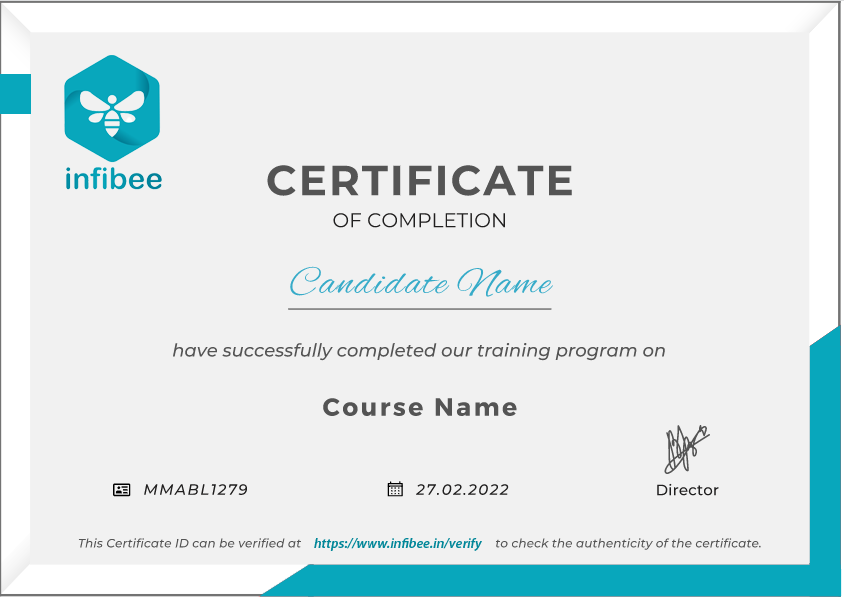
Collaborating with Infibee Technologies, you will get industry-recognized certification upon successful completion of the MS Office Training in Bangalore. This certificate brings great respect onto your resume as it certifies that you are skilled in MS Office tools. It adds credibility in front of employers and thus increases chances of fetching good money across industries.
Our alumni have secured positions in top MNC companies such as TCS, Infosys, Wipro, Cognizant, and HCL Technologies.
Modes of MS Office Training at Infibee Technologies
Classroom Training
Self -Based Training
Online Training
Corporate Training
Global Certifications for MS Office Training in Bangalore
S.No
Certification Code
Cost (INR)
Certification Expiry
1
MOS: Microsoft Office Specialist
₹7,500
Lifetime
2
MOS Expert (Excel, Word Advanced)
₹10,000
Lifetime
3
MOS Master Certification
₹15,000
Lifetime
4
Microsoft Certified: Productivity Tools
₹12,500
2 years
5
Microsoft Certified Trainer (MCT)
₹25,000
2 years
Benefits of Learning the MS Office Course in Bangalore
Gain expertise in essential productivity tools
Increase job opportunities across industries
Improve workplace efficiency and performance
Get certified with global recognition
Affordable fees with lifetime learning access
Hands-on training with real projects
Placement support for top MNC opportunities
What You’ll Learn
Advanced Word processing techniques
Excel formulas, pivot tables, and data analytics
PowerPoint design and corporate presentation skills
Email and calendar management in Outlook
Database management with MS Access
Real-world business applications of MS Office
Who Can Join?
Fresh graduates
Job seekers
Working professionals
Corporate employees
Entrepreneurs & freelancers
Career Opportunities in MS Office Training in Bangalore
Experience Level
Roles
Salary Range (LPA)
Freshers/Junior (0–3 years)
MS Office Executive, Documentation Specialist, Data Entry Analyst
3 – 4.5 LPA
Mid-Level (4–8 years)
MS Office Trainer, Productivity Analyst, MS Office Lead
5 – 12 LPA
Senior/Experienced (9+ years)
MS Office Consultant, Productivity Solutions Expert, Head of MS Office
12 – 25 LPA
Specialized Roles
MS Office Testing Specialist, MS Office Data Expert, MS Office Security Analyst
10 – 20 LPA
Who’s Hiring MS Office Professionals?
Infosys
Wipro
Accenture
Deloitte
HCL Technologies
Can I Study MS Office Training in Other Places?
MS Office Training is offered to other cities as well as MS Office Training in Chennai, MS Office Training in Hyderabad, MS Office Training in Pune, and MS Office Training in Delhi. While Infibee Technologies is providing hands-on training, experienced mentors, and placement support, which goes hand in hand with what candidates look for specifically in Bangalore, that is what makes us the number one choice.
How to Register for MS Office at Infibee Technologies?
Step 1: Register for a Free Demo
Visit our website and submit the inquiry form
Attend a free demo session to understand our teaching methodology
Step 2: Select Your Training Mode
Choose between classroom, online, or corporate training
Pick your preferred batch timings
Step 3: Start Your MS Office Journey
Learn with expert trainers
Work on real projects and prepare for certification
Enroll Today: Unlock Your MS Office Training in Bangalore Potential!
At Infibee Technologies, the MS Office Training in Bangalore inspects everything that is required to certify a student. With a received certification, the student is guaranteed opportunities for higher-paying jobs, thereby greatly benefiting him.
Join our MS Office Course in Bangalore! Our syllabus covers essential MS Office applications including Word, Excel, PowerPoint, Outlook, and Access. Tne training is led by industry experts, our practical projects empower you to master document creation, data analysis, presentation design, email management, and database handling—all crucial skills in today’s professional landscape.
Enroll in our MS OfficeClasses in Bangalore, where our course focuses on providing high-quality training with a strong foundation in core concepts and a practical approach. Through exposure to current industry use cases and scenarios, participants will enhance their skills and gain the ability to execute real-time projects using best practices.
Professional Report Creation Project
Design and create a professional report using MS Word, incorporating advanced formatting, styles, and graphics.
Data Analysis Project
Analyse a dataset using MS Excel, performing tasks such as data cleaning, sorting, filtering, and creating charts and pivot tables to derive insights.
Presentation Design Project
Develop a compelling presentation using MS PowerPoint, focusing on effective slide design, storytelling, and visual communication techniques to engage the audience.
For Corporates
Educate your workforce with new skills to improve their performance and productivity.
Corporate Training
Customised training with customised curriculum to meet the requirements of your workforce
Diversified learning models Live online training, Self-paced videos, On-premises training, and Classroom training
Dedicated lab setup with software installation, evaluation reports of employees, and study material with video recoding
We have a diverse pool of skilled instructors from numerous industries, ensuring the best fit for your customised requirements
Track and measure the impact of training on individuals and teams with our evaluation performance report
Excel data analysis, PowerPoint presentation design, Outlook email management, or collaborative document
More Details
Our MS Office trainers are seasoned professionals with extensive experience in using and teaching MS Office applications. They bring practical insights, industry best practices, and real-world examples to the classroom, ensuring participants receive comprehensive training and guidance to excel in MS Office.
Our Best MS Office Training in Bangalore aims to empower participants with complete skills and practical knowledge in this field. Objectives provide you with mastering core concepts, applying skills through real-world projects, critical thinking, and ensuring professional challenges. This enhances career development and contributes to industry advancement.
What are the key features of MS Word, and how can they be used to create professional documents?
MS Word features include formatting tools, templates, styles, and collaboration features. These can be used to create polished documents with consistent formatting, layout, and content.
How can MS Excel be used for data analysis and visualization?
MS Excel offers powerful tools for data analysis, including functions, formulas, pivot tables, and charts. These can be used to analyse data, identify trends, and present findings visually.
What are the benefits of using MS PowerPoint for presentation design?
MS PowerPoint allows users to create visually appealing presentations with customisable slides, graphics, animations, and transitions. It helps in effectively communicating ideas and engaging the audience.
How can MS Outlook help in managing emails, calendars, and contacts?
MS Outlook offers tools for managing emails, scheduling appointments, organising tasks, and maintaining contacts. It helps with staying organised and productive in a professional environment.
What certifications are available for MS Office professionals?
Microsoft offers certifications such as Microsoft Office Specialist (MOS) for Word, Excel, PowerPoint, and Outlook. These certifications validate proficiency in using MS Office applications and are recognized by employers globally.
What career opportunities are available for MS Office professionals?
MS Office professionals can pursue diverse career paths in administrative roles, data analysis, project management, customer service, and office support roles across industries such as finance, healthcare, education, and government.
Job Assistance Program
Our Job Assistance Programme offers you special guidance through the course curriculum and helps in your interview preparation.
Specialised Curriculum
Get on-field knowledge and skills from our expert instructors.
Assessment
Upgrade your on-field skills with our assessments and track your progress in real time.
Hands-on Project
Our hands-on project help you gain experience in real-time working.
Certification Guidance
A global certificate always helps you stand out from the crowd.
Portfolio Building
Experts guide you to maximise your profile with current industry trends that employers expect.
Placment Cell
We promote your abilities and showcase your portfolio to employers.
MS Office is the most widely used productivity suite, compatible with all computers and mobile devices without requiring frequent updates. It offers one of the most versatile career paths in the business software industry, with certified MS Office professionals earning an average of 7 LPA annually.
Annual Pay Scale
Employers
Annual Salary
Hiring Companies
Placement Guidance & Interview Preparation
Infibee’s placement guidance navigates you to your desired role in top organisations, ensuring you stand out and excel in every opportunity.
Resume Enhancement: Updating and enhancing your resume to effectively highlight your abilities, experience, and accomplishments.
Mock Interviews: Practice real-life interviews with feedback to fine-tune your responses, boost confidence, and reduce anxiety.
Industry Insights: Stay informed about industry trends, company culture, and expectations to excel in interviews.
Job Portal Updation: Update or create your profile in job portals with our guidance and listing of key words for your preferred designation.
Customized Preparation: Targeted preparation for specific job roles, ensuring you are well-prepared for role-specific questions.
Interview Strategies: Comprehensive coaching on interview techniques and communication skills to ace any interview.
Confidence Building: Boosting self-assurance and equipping you with the mindset needed to excel during interviews.
Online Presence: Optimizing your online presence, including LinkedIn profiles and social media, to align with your career goals.
Posted on Google
Vaishnavi M
Trustindex verifies that the original source of the review is Google.
I enrolled in the Workday HCM Payroll course at Infibee Technologies and I am fully satisfied with the training. The classes were easy to understand and the placement guidance together with mock interviews helped me build trust in my abilities. Job seekers should consider this program because it comes with high recommendations.
Posted on Google
Subhashiniwillams075
Trustindex verifies that the original source of the review is Google.
I enrolled in the SAP ANALYTICS CLOUD course at Infibee Technologies and the classes were very well structured. The trainers possess industry experience and they delivered effective assistance with both resume creation and job placement services. This institution serves as the topmost educational center for SAP training courses.
Posted on Google
Deva Dharshini
Trustindex verifies that the original source of the review is Google.
I recently completed the SAP CO-PA course at Infibee Technologies and had a great experience. The training quality was excellent, and the trainers were friendly, knowledgeable, and very supportive.
They also provided valuable help with interview preparation and resume building, which boosted my confidence. With affordable fees and strong support, I highly recommend this institute for SAP training.
Posted on Google
Arivu Vaisi
Trustindex verifies that the original source of the review is Google.
The Oracle Flexcube course at Infibee Technologies provided me with practical knowledge through its educational sessions. The trainer explained all concepts clearly and the placement support was very helpful. The program provides excellent Oracle training according to my assessment.
Posted on Google
Vishva raja
Trustindex verifies that the original source of the review is Google.
The SAP IBP Course training is excellent. Trainers are knowledgeable and guide students with real-time scenarios. Placement support and resume preparation are very good. Highly recommended!
Posted on Google
Harish
Trustindex verifies that the original source of the review is Google.
I learned SAP FSCD Course at Infibee Technologies and it was very helpful. Trainers provide real-time examples and excellent placement support. Highly recommended institute!
Posted on Google
Marudhu
Trustindex verifies that the original source of the review is Google.
I completed the MS DYNAMICS 365 CRM course at Infibee Technologies and found the training to be very beneficial. The course was explained in an easy way and the placement guidance gave me more confidence. I highly recommend joining this program at the present time.
Posted on Google
Nandhini Akash
Trustindex verifies that the original source of the review is Google.
I completed the Workday HR course at Infibee Technologies and the training was really helpful for my career growth. The trainers support students by providing simple explanations which include real-world examples of every topic. Highly recommended to join now.
I joined Infibee in order to take a Data Science Course.
Being from a non-IT background, I believe that being an IT Professional will be difficult for me. But now I believe that joining Infibee is the best decision I've ever made. My overall experience has been excellent. The teaching and non-teaching staff are both excellent. I will never forget the experience I had with Infibee. Thank you for your help and support, Infibee.
Muthu krishnan
I graduated without an IT background, but Infibee has helped me advance my career as a data scientist. Here, mentors are very helpful. With the right guidance and dedication, you can achieve your dreams. Self-study is also crucial if you want to stand out from the crowd and seize your opportunities.Companies frequently visit Infibee for placements and take some incredible talent with them.
Pranali
I enrolled in Infibee's PG Data Science course. The training experience was excellent, with 80% practical training and 20% theory, which was extremely beneficial. I learned a great deal. My placement process began after I completed my course, and I am now working as an RPA and Data Science Intern at rsutra. Nisha Mam was extremely helpful during the placement process.
Yuvaraj
The courses on Infibee are excellent. It has great value. I was non IT person and joined for Data Science course it was really helpful and interesting learning with Infibee. Teachers are also incredible they did an excellent job of ensuring that we understood each concept. Excellent job setting up the mock test and interview. I enjoyed finding more skill out of me from Infibee.I appreciate Infibee's assistance in advancing my career.
Lavanya
I completed Full Stack Development Course at infibee. Infibee is the best training institute. My trainer taught us the best concepts out there. His teaching skills are great. They are having lots of knowledge. The way of teaching is also good. I am satisfied with the course. Glad to have found this institute.
Madhaiyan Madhan
MS Office Training FAQ's
Infibee MS Office Training In Bangalore offers wide range of services that suits for both fresher and experienced persons via both offline and online at your suitable time slots.
What if I Miss a Class ?
You need not worry about having missed a class. Our dedicated course coordinator will help them with anything and everything related to administration. The coordinator will arrange a session for the student with trainers in place of the missed one.
Will I get a Free Demo?
Yes, of course. You can contact our team at Infibee Technologies, and we will schedule a free demo or a conference call with our mentor for you.
What are the Modes of Training in Infibee ?
We provide classroom, online, and self-based study material and recorded sessions for students based on their individual preferences.
Are the trainers at Infibee Technologies experienced in the industry?
Yes, all our trainers are industry professionals with extensive experience in their respective domains. They bring hands-on practical and real-world knowledge to the training sessions.
Can I access course materials after the training is complete?
Yes, participants typically receive access to course materials, including recorded sessions, assignments, and additional resources, even after the training concludes.
Do you offer placement assistance?
We provide placement assistance to students, including resume building, interview preparation, and job placement support for a wide range of software courses.
Do you offer customized training for corporate clients?
Yes, we offer customisation of the syllabus for both individual candidates and corporate also.
Can companies or organizations inquire about group training for their employees?
Yes, we offer corporate training solutions. Companies can contact us for customised programmes tailored to their team’s needs.
What technical requirements are needed to participate in live online training sessions?
Participants need a stable internet connection and a device (computer, laptop, or tablet) with the necessary software installed. Detailed technical requirements are provided upon enrollment.
Can I switch from self-paced to live online training or vice versa during the course?
In most cases, such requests can be accommodated. Participants can reach out to our support team to discuss their preferences and explore available options.
People Also Refer To Similar Courses
We offer courses that help you improve your skills and find a job at your dream organisations.
SAP Success Factor LMS Classes in Hinjawadi
16347
40 HRS
Intermediate
Rated 5 out of 5
SAP Solution Manager Classes in Hinjawadi
16476
40 HRS
Intermediate
Rated 5 out of 5
SAP SF Onboarding 2.0 Classes in Hinjawadi
16547
40 HRS
Intermediate
Rated 5 out of 5
SAP SF Employee Control Central Classes in Hinjawadi
16466
40 HRS
Intermediate
Rated 5 out of 5
Other Courses
Courses that are designed to give you top-quality skills and knowledge.
SAP Success Factor LMS Classes in Hinjawadi
16347
40 HRS
Intermediate
Rated 5 out of 5
SAP Solution Manager Classes in Hinjawadi
16476
40 HRS
Intermediate
Rated 5 out of 5
SAP SF Onboarding 2.0 Classes in Hinjawadi
16547
40 HRS
Intermediate
Rated 5 out of 5
SAP SF Employee Control Central Classes in Hinjawadi
16466
40 HRS
Intermediate
Rated 5 out of 5
SAP SF Classes in Hinjawadi
16476
40 HRS
Intermediate
Rated 5 out of 5
SAP Security On S4 Hana Classes in Hinjawadi
15646
40 HRS
Intermediate
Rated 5 out of 5
SAP Success Factor LMS Classes in Hinjawadi
16347
40 HRS
Intermediate
Rated 5 out of 5
SAP Solution Manager Classes in Hinjawadi
16476
40 HRS
Intermediate
Rated 5 out of 5
SAP SF Onboarding 2.0 Classes in Hinjawadi
16547
40 HRS
Intermediate
Rated 5 out of 5
SAP SF Employee Control Central Classes in Hinjawadi