Infibee Technologies offers India’s No.1 MS Project Training in Noida with globally recognized certification and 100% placement guidance.
Kickstart your career in MS Project Course in Noida with trainers who have 12+ years of industry experience. Our program includes affordable course fees, real-time mock projects, resume preparation, interview preparation, placement training, and lifetime access to recorded sessions of live classes.
Join our MS Project Institute Training in Noida and ignite your MS Project career future with high-paying jobs in top companies.
Infibee’s MS PROJECT Training in Noida is designed to help students and professionals master Microsoft Project for planning, scheduling, resource allocation, budgeting, and project tracking. The practical MS PROJECT Course teaches students how to develop complete project plans and track their progress while producing detailed project reports for successful project execution.
Our MS PROJECT Training in Noida teaches all required skills for project creation and task management and calendar development and resource management and cost tracking and baseline establishment and earned value analysis and Gantt chart creation and critical path analysis and dashboard reporting. Students gain hands-on experience through real-time project scenarios from IT, construction, and business operations.
The curriculum meets Microsoft certification standards and current industry requirements. The program provides learners with both resume development support and interview preparation assistance and job placement services. By the end of the course, participants acquire the skills needed to handle complex projects while obtaining their MS PROJECT Certification.
Infibee Technologies provides effective training at an economical price for all individuals who need MS PROJECT Course information and MS PROJECT Training in Noida and MS PROJECT course fees and MS PROJECT training fees comparisons.
MS PROJECT Topics Covered
Applications of MS PROJECT
Tools Used
Project Planning
Project Scheduling
Microsoft Project Professional
Work Breakdown Structure (WBS)
Task Management
Gantt Chart View
Resource Allocation
Resource Optimization
Resource Sheet
Cost Management
Budget Tracking
Cost Tables
Baselines
Performance Measurement
Baseline Comparison
Critical Path Analysis
Risk Identification
Network Diagram
Earned Value Analysis
Project Control
Tracking Gantt
Reports and Dashboards
Stakeholder Communication
Built-in Reports
Portfolio Management
Multi-Project Coordination
Project Online
Collaboration
Team Coordination
Microsoft Teams Integration
Why Choose Infibee Technologies for MS PROJECT Training in Noida?
Key Highlights
12+ Years of Experienced Project Management Trainers
Certification-Oriented MS PROJECT Course Curriculum
Real-Time Projects and Case Studies
Affordable MS PROJECT Training Fees
Flexible Weekday and Weekend Batches
Online and Classroom Training
Resume Preparation and Mock Interviews
100% Placement Assistance
Lifetime Access to Recorded Sessions
Free Demo Class
Microsoft Certification Guidance
Corporate Training Available.
Best MS PROJECT Institute – Get Certified with Infibee Technologies
Located in the heart of Noida, Infibee Technologies is one of the most trusted institutes for MS PROJECT Training in Noida. The practical training we provide enables students to develop authentic expertise in project planning and scheduling and project execution through their use of Microsoft Project software. The training we provide to students creates job-related skills which help them to control project schedules and spending and resource allocation.
Our industry expert trainers bring over 12+ years of project management experience and PMO operations experience and enterprise planning experience. The trainers deliver complete theoretical concepts together with Gantt chart and resource management and cost tracking and earned value analysis and custom reporting practice activities. Students engage with actual project work from various fields including software development and construction and manufacturing and business operations.
Infibee Technologies provides complete placement assistance which includes resume development and LinkedIn profile enhancement and simulated technical and managerial interviews and aptitude training and interview referrals to our hiring network. Our alumni work as Project Coordinators and PMO Analysts and Project Managers at leading MNCs and consulting firms.
Our MS PROJECT Course caters to all proficiency levels from freshers to team leads and project coordinators and business analysts and active professionals. Infibee Technologies provides high-quality MS PROJECT Training from its Noida training center to students who search for MS PROJECT Course in Noida or conduct price comparisons of MS PROJECT courses.
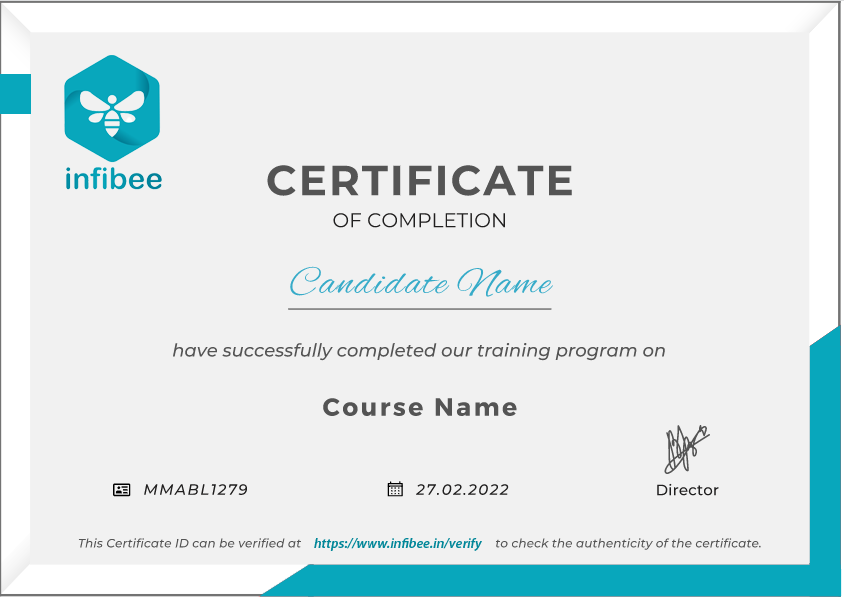
MS PROJECT Certification Support Infibee Technologies provides complete support for MS PROJECT Certification, including exam guidance, practice tests, official syllabus coverage, and expert mentoring to help you validate your project planning and scheduling skills.
Our Alumni Are Hired By Top Companies
TCS
Infosys
Wipro
Accenture
Cognizant
HCL Technologies
IBM
Capgemini
Tech Mahindra
Deloitte
Modes of MS PROJECT Training in Noida at Infibee Technologies
Classroom Training in Noida
Live Online Instructor-Led Training
Weekend Batches
Fast-Track Training
Corporate Training
One-to-One Personalized Training
Global Certifications Available for MS PROJECT Training in Noida
S.No
Certification Code
Approximate Cost (INR)
Certification Expiry
1
Microsoft Office Specialist (MOS): Project
₹8,000 – ₹12,000
No expiry
2
Microsoft Certified: Project-related Role-Based Exams*
₹13,000 – ₹15,000
No expiry (subject to Microsoft policy)
3
PMP (Complementary Certification)
₹45,000 – ₹60,000
Valid for 3 years
4
CAPM (Complementary Certification)
₹20,000 – ₹30,000
Valid for 3 years
*Availability of Microsoft Project-specific exams may vary as certification offerings change over time.
Benefits of Learning MS PROJECT Training in Noida
Master project planning and scheduling
Manage resources and budgets effectively
Track project performance with baselines and earned value
Create professional Gantt charts and reports
Prepare for globally recognized certifications
Access high-paying project management roles
Gain practical experience through real-time projects
Receive placement assistance and interview preparation
Improve productivity and project visibility
Strengthen your resume with in-demand PM skills
What You’ll Learn
Project Creation and Setup
Task and Milestone Management
Calendars and Dependencies
Resource Allocation
Cost Planning and Budgeting
Baselines and Tracking
Critical Path Analysis
Earned Value Management
Reporting and Dashboards
Project Online Collaboration
Who Can Join?
Students and Fresh Graduates
Project Coordinators
PMO Analysts
Team Leads
Business Analysts
Project Managers
Operations Managers
Engineers and Consultants
Working Professionals
Career Opportunities in MS PROJECT Training in Noida
Experience Level
Job Role
Salary Range (India)
Freshers (0–3 Years)
Project Coordinator
₹3.5 – ₹6 LPA
Freshers (0–3 Years)
PMO Analyst
₹4 – ₹7 LPA
Freshers (0–3 Years)
Project Scheduler
₹4 – ₹6.5 LPA
Mid-Level (4–8 Years)
Project Planner
₹8 – ₹15 LPA
Mid-Level (4–8 Years)
PMO Specialist
₹8 – ₹16 LPA
Mid-Level (4–8 Years)
Project Manager
₹10 – ₹20 LPA
Senior (9+ Years)
Senior Project Manager
₹18 – ₹35 LPA
Senior (9+ Years)
Program Manager
₹20 – ₹40 LPA
Senior (9+ Years)
PMO Head
₹25 – ₹45 LPA
Specialized Roles
Resource Manager
₹10 – ₹20 LPA
Specialized Roles
Cost Control Specialist
₹8 – ₹18 LPA
Specialized Roles
Portfolio Manager
₹20 – ₹50 LPA
Who’s Hiring MS PROJECT Professionals?
TCS
Infosys
Wipro
IBM
Accenture
Deloitte
HCL Technologies
Cognizant
Capgemini
Tech Mahindra
L&T
Siemens
Can I Study MS PROJECT Course in Other Locations?
Yes! Infibee Technologies offers MS PROJECT Training across major cities through online mode, including:
MS PROJECT Training in Chennai
MS PROJECT Training in Bangalore
MS PROJECT Training in Hyderabad
MS PROJECT Training in Delhi
MS PROJECT Training in Pune
MS PROJECT Training in Noida
MS PROJECT Online Training
With expert mentors, real-time project exposure, industry-recognized certification, and placement support, Infibee Technologies provides MS PROJECT Online Training across India.
How to Register for MS PROJECT at Infibee Technologies?
Step 1: Register for a Free Demo
Go to our website and submit the inquiry form.
Participate in a free demo session to learn about our training methodology.
Step 2: Select Your Training Mode
Choose between classroom, online, or corporate training.
Confirm your batch timing and convenience.
Step 3: Start Your MS PROJECT Journey
Begin learning with expert instructors.
Work on real projects and practical assignments.
Get ready for MS PROJECT Certification and placement interviews.
Enroll Today: Unlock Your MS PROJECT Training in Noida Potential!
Join the best MS PROJECT Training in Noida Institute today and become a certified project management professional ready to plan, track, and deliver successful projects.
Join MS Project Training in Pune with us! Our syllabus comprises essential methodologies, management tools, and advanced techniques that you would need to learn in MS Project. With state-of-the-art infrastructure, our practical projects under the guidance of industry experts are sure to help you manage projects well in this emerging tech hub. Highly beneficial for freshers and seasoned professionals looking for an opportunity to enhance their expertise in MS Project.
Module 1: Introduction to MS Project
Overview of MS Project and its features
Navigating the MS Project interface
Setting up a new project
Understanding project management terminology
Module 2:Project Planning Basics
Defining project scope and objectives
Creating a Work Breakdown Structure (WBS)
Entering project tasks and milestones
Setting task dependencies and relationships
Module 3: Scheduling and Task Management
Assigning start and end dates to tasks
Defining and managing task durations
Utilizing task constraints and deadlines
Creating and managing task notes
Module 4: Resource Management
Adding and managing resources (people, equipment, materials)
Assigning resources to tasks
Managing resource calendars and availability
Understanding resource leveling and over-allocation
Module 5: Budgeting and Cost Management
Estimating and entering task costs
Tracking project expenses and budgets
Managing cost resources and fixed costs
Using cost reports and variance analysis
Module 6: Tracking Progress and Updates
Updating task status and progress
Tracking and managing project baseline
Using Gantt charts for progress monitoring
Handling changes and adjustments to the project plan
Module 7: Advanced Scheduling Techniques
Creating and managing recurring tasks
Implementing project constraints and deadlines
Using multiple project schedules and cross-project links
Managing complex dependencies and task sequences
Module 8: Reporting and Visualization
Generating standard and custom reports
Utilizing built-in MS Project reports (e.g., Gantt Chart, Resource Usage)
Creating dashboards and visualizations
Exporting data to Excel or other formats
Module 9: Collaboration and Communication
Sharing project files and collaborating with team members
Setting up and managing project calendars
Using MS Project with Microsoft Teams or SharePoint
Tracking and managing project issues and risks
Module 10:Project Templates and Customization
Using and creating project templates
Customizing MS Project views and tables
Implementing custom fields and formulas
Setting up and managing project templates for recurring projects
Module 11: Integration with Other Tools
Integrating MS Project with Microsoft Excel and Word
Syncing MS Project with Microsoft Teams and SharePoint
Importing and exporting project data
Using third-party add-ins and tools for enhanced functionality
Module 12: Advanced Features and Best Practices
Advanced project management techniques and strategies
Implementing advanced project tracking and control methods
Reviewing case studies and real-world applications
Best practices for effective project management with MS Project
Enroll with our MS Project Classes in Pune, which will be a high-quality training course with a solid foundation in core concepts and a practical approach. The participant will get exposure to the current industry use cases and scenarios thereby enhancing the skill and giving capability to execute real-time projects using best practices.
Office Renovation Project
- Plan and execute a full renovation of the office space.
- Coordinate with contractors and suppliers for materials.
- Ensure minimal disruption to daily business operations.
Website Redesign Project
Generate financial statements and reports. Track income, expenses, and cash flow. Ensure compliance with accounting standards.
Marketing Campaign Launch
Develop and launch a new marketing campaign.
Collaborate with the marketing team for content creation.
Track and analyze campaign performance metrics.
Product Development Project
Create a new product from concept to market launch.
manage cross-functional teams for design and production.
For Corporates
Educate your workforce with new skills to improve their performance and productivity.
Corporate Training
Customised training with customised curriculum to meet the requirements of your workforce
Diversified learning models Live online training, Self-paced videos, On-premises training, and Classroom training
Dedicated lab setup with software installation, evaluation reports of employees, and study material with video recoding
We have a diverse pool of skilled instructors from numerous industries, ensuring the best fit for your customised requirements
Track and measure the impact of training on individuals and teams with our evaluation performance report
Prathap is one of Infibee's top-certified trainers in MS Project, boasting over 9 years of hands-on experience collaborating with industry professionals. He holds certifications in MS Project, ensuring expertise in cutting-edge data management technologies.
Our best MS Project training in Pune focuses on a fully skilled participant, equipped with practical knowledge in the subject. Objectives have master core concepts: applying skills through real-world projects, some critical thinking in real-world projects, and providing a professional challenge. This one boosts career development and contributes towards industry advancement.
What certifications are available for MS Project?
Microsoft Certified: Project Manager certifications validate proficiency in using MS Project for managing and delivering projects.
Project Management Professional (PMP) certification is often complementary and widely recognized alongside MS Project skills.
These certifications demonstrate expertise in project management methodologies and tool usage.
What job opportunities are available for professionals skilled in MS Project?
Roles: project manager, project coordinator, and project scheduler.
Industries: Utilized across various sectors, including IT, construction, and manufacturing.
Demand: high in organizations needing structured project planning and execution.
What is the average salary for MS Project professionals in India?
Entry-Level: Project Coordinators or Assistants typically earn $55,000–$75,000 annually.
Mid-Level: Project managers usually make $80,000–$100,000 per year.
Senior-Level: Experienced project managers or directors can earn $100,000–$130,000+ annually.
How does expertise in MS Project impact career growth?
Entry-Level: Start as a Project Coordinator or Junior Project Manager.
Mid-Level: Advance to roles such as Project Manager or Senior Project Manager.
Advanced: Progress to leadership positions like project director or portfolio manager.
What are some relevant topics to focus on when learning MS Project?
Project Scheduling: Task management, dependencies, and milestones.
Resource Management: Allocating and leveling resources, budgeting.
Reporting: Creating and interpreting project reports, tracking progress.
Job Assistance Program
Our Job Assistance Programme offers you special guidance through the course curriculum and helps in your interview preparation.
Specialised Curriculum
Get on-field knowledge and skills from our expert instructors.
Assessment
Upgrade your on-field skills with our assessments and track your progress in real time.
Hands-on Project
Our hands-on project help you gain experience in real-time working.
Certification Guidance
A global certificate always helps you stand out from the crowd.
Portfolio Building
Experts guide you to maximise your profile with current industry trends that employers expect.
Placment Cell
We promote your abilities and showcase your portfolio to employers.
MS Project Training in Pune is the most widely used programming language, and its version does not require upgrade across all computers and mobile devices. Among the highest-paid jobs in the software development industry are those with the MS Dynamics 365 BC Training certification, with an average of 7 LPA per year.
Annual Pay Scale
Employers
Annual Salary
Hiring Companies
Placement Guidance & Interview Preparation
Infibee’s placement guidance navigates you to your desired role in top organisations, ensuring you stand out and excel in every opportunity.
Resume Enhancement: Updating and enhancing your resume to effectively highlight your abilities, experience, and accomplishments.
Mock Interviews: Practice real-life interviews with feedback to fine-tune your responses, boost confidence, and reduce anxiety.
Industry Insights: Stay informed about industry trends, company culture, and expectations to excel in interviews.
Job Portal Updation: Update or create your profile in job portals with our guidance and listing of key words for your preferred designation.
Customized Preparation: Targeted preparation for specific job roles, ensuring you are well-prepared for role-specific questions.
Interview Strategies: Comprehensive coaching on interview techniques and communication skills to ace any interview.
Confidence Building: Boosting self-assurance and equipping you with the mindset needed to excel during interviews.
Online Presence: Optimizing your online presence, including LinkedIn profiles and social media, to align with your career goals.
Posted on Google
Vaishnavi M
Trustindex verifies that the original source of the review is Google.
I enrolled in the Workday HCM Payroll course at Infibee Technologies and I am fully satisfied with the training. The classes were easy to understand and the placement guidance together with mock interviews helped me build trust in my abilities. Job seekers should consider this program because it comes with high recommendations.
Posted on Google
Subhashiniwillams075
Trustindex verifies that the original source of the review is Google.
I enrolled in the SAP ANALYTICS CLOUD course at Infibee Technologies and the classes were very well structured. The trainers possess industry experience and they delivered effective assistance with both resume creation and job placement services. This institution serves as the topmost educational center for SAP training courses.
Posted on Google
Deva Dharshini
Trustindex verifies that the original source of the review is Google.
I recently completed the SAP CO-PA course at Infibee Technologies and had a great experience. The training quality was excellent, and the trainers were friendly, knowledgeable, and very supportive. They also provided valuable help with interview preparation and resume building, which boosted my confidence. With affordable fees and strong support, I highly recommend this institute for SAP training.
Posted on Google
Arivu Vaisi
Trustindex verifies that the original source of the review is Google.
The Oracle Flexcube course at Infibee Technologies provided me with practical knowledge through its educational sessions. The trainer explained all concepts clearly and the placement support was very helpful. The program provides excellent Oracle training according to my assessment.
Posted on Google
Vishva raja
Trustindex verifies that the original source of the review is Google.
The SAP IBP Course training is excellent. Trainers are knowledgeable and guide students with real-time scenarios. Placement support and resume preparation are very good. Highly recommended!
Posted on Google
Harish
Trustindex verifies that the original source of the review is Google.
I learned SAP FSCD Course at Infibee Technologies and it was very helpful. Trainers provide real-time examples and excellent placement support. Highly recommended institute!
Posted on Google
Marudhu
Trustindex verifies that the original source of the review is Google.
I completed the MS DYNAMICS 365 CRM course at Infibee Technologies and found the training to be very beneficial. The course was explained in an easy way and the placement guidance gave me more confidence. I highly recommend joining this program at the present time.
Posted on Google
Nandhini Akash
Trustindex verifies that the original source of the review is Google.
I completed the Workday HR course at Infibee Technologies and the training was really helpful for my career growth. The trainers support students by providing simple explanations which include real-world examples of every topic. Highly recommended to join now.
I joined Infibee in order to take a Data Science Course.
Being from a non-IT background, I believe that being an IT Professional will be difficult for me. But now I believe that joining Infibee is the best decision I've ever made. My overall experience has been excellent. The teaching and non-teaching staff are both excellent. I will never forget the experience I had with Infibee. Thank you for your help and support, Infibee.
Muthu krishnan
I graduated without an IT background, but Infibee has helped me advance my career as a data scientist. Here, mentors are very helpful. With the right guidance and dedication, you can achieve your dreams. Self-study is also crucial if you want to stand out from the crowd and seize your opportunities.Companies frequently visit Infibee for placements and take some incredible talent with them.
Pranali
I enrolled in Infibee's PG Data Science course. The training experience was excellent, with 80% practical training and 20% theory, which was extremely beneficial. I learned a great deal. My placement process began after I completed my course, and I am now working as an RPA and Data Science Intern at rsutra. Nisha Mam was extremely helpful during the placement process.
Yuvaraj
The courses on Infibee are excellent. It has great value. I was non IT person and joined for Data Science course it was really helpful and interesting learning with Infibee. Teachers are also incredible they did an excellent job of ensuring that we understood each concept. Excellent job setting up the mock test and interview. I enjoyed finding more skill out of me from Infibee.I appreciate Infibee's assistance in advancing my career.
Lavanya
I completed Full Stack Development Course at infibee. Infibee is the best training institute. My trainer taught us the best concepts out there. His teaching skills are great. They are having lots of knowledge. The way of teaching is also good. I am satisfied with the course. Glad to have found this institute.
Madhaiyan Madhan
MS Project Training FAQ's
Infibee MS Project Training in Pune offers a wide range of services that suit both freshmen and experienced persons via both offline and online at your suitable time slots.
What if I Miss a Class ?
You need not worry about having missed a class. Our dedicated course coordinator will help them with anything and everything related to administration. The coordinator will arrange a session for the student with trainers in place of the missed one.
Will I get a Free Demo?
Yes, of course. You can contact our team at Infibee Technologies, and we will schedule a free demo or a conference call with our mentor for you.
What are the Modes of Training in Infibee ?
We provide classroom, online, and self-based study material and recorded sessions for students based on their individual preferences.
Are the trainers at Infibee Technologies experienced in the industry?
Yes, all our trainers are industry professionals with extensive experience in their respective domains. They bring hands-on practical and real-world knowledge to the training sessions.
Can I access course materials after the training is complete?
Yes, participants typically receive access to course materials, including recorded sessions, assignments, and additional resources, even after the training concludes.
Do you offer placement assistance?
We provide placement assistance to students, including resume building, interview preparation, and job placement support for a wide range of software courses.
Do you offer customized training for corporate clients?
Yes, we offer customisation of the syllabus for both individual candidates and corporate also.
Can companies or organizations inquire about group training for their employees?
Yes, we offer corporate training solutions. Companies can contact us for customised programmes tailored to their team’s needs.
What technical requirements are needed to participate in live online training sessions?
Participants need a stable internet connection and a device (computer, laptop, or tablet) with the necessary software installed. Detailed technical requirements are provided upon enrollment.
Can I switch from self-paced to live online training or vice versa during the course?
In most cases, such requests can be accommodated. Participants can reach out to our support team to discuss their preferences and explore available options.
People Also Refer To Similar Courses
We offer courses that help you improve your skills and find a job at your dream organisations.
AI Ethics and Governance Training in Gurgaon
23654
48 HRS
Beginner
Rated 5 out of 5
AI Agent Development with Python Course in Chennai
26685
45 HRS
Intermediate
Rated 5 out of 5
AI Ethics and Governance Training in Noida
23654
48 HRS
Beginner
Rated 5 out of 5
AI Ethics and Governance Training in Delhi
23654
48 HRS
Beginner
Rated 5 out of 5
Other Courses
Courses that are designed to give you top-quality skills and knowledge.
AI Ethics and Governance Training in Gurgaon
23654
48 HRS
Beginner
Rated 5 out of 5
AI Agent Development with Python Course in Chennai
26685
45 HRS
Intermediate
Rated 5 out of 5
AI Ethics and Governance Training in Noida
23654
48 HRS
Beginner
Rated 5 out of 5
AI Ethics and Governance Training in Delhi
23654
48 HRS
Beginner
Rated 5 out of 5
AI Ethics and Governance Training in Pune
23654
48 HRS
Beginner
Rated 5 out of 5
AI Content Generation Course in Gurgaon
27458
60 HRS
Intermediate
Rated 5 out of 5
AI Ethics and Governance Training in Gurgaon
23654
48 HRS
Beginner
Rated 5 out of 5
AI Agent Development with Python Course in Chennai