Power BI Training in Noida

5/5

Infibee Technologies provides the India’s No.1 Power BI Training in Pune with global certification and 100% job placement assistance.

Begin your career with Power BI Course in Pune guided by 12+ years of industry-experienced experts. The program provides students with practical training through mock projects, resume writing, interview preparation, job placement assistance and permanent access to recorded live class sessions. The Power BI Training program in Pune enables you to develop skills for proper data analysis and interactive dashboard creation and data-based business decision making, which prepares you for professional IT positions.

Our Power BI Training Institute in Pune helps you launch your IT career while providing access to well-paying employment opportunities at leading companies.

Live Online :

25 hrs of E-Learning Videos
4.7
4.8
4.7

Power BI Course in Pune Overview

Start your professional journey by enrolling in the top Power BI training in Pune. Power BI functions as a powerful business analytics tool that enables users to create visual data displays while producing reports and establishing evidence-based decision-making processes.

The training program provides you with essential skills through its practical training which uses actual projects and interactive dashboard displays. Through expert guidance and actual work experience you will learn to manage complicated datasets while creating solutions that can be used in real-world situations.

The Power BI Course in Pune provides beginners and IT professionals with hands-on training that covers all essential skills required to work in business intelligence and data analytics. The course content encompasses all basic Power BI dashboard creation elements which students must learn before advancing to advanced data modeling and visualization techniques.

Power BI Course Topics Covered Applications of Power BI Course Tools Used
Power BI Desktop & Service Business Reporting Power BI Desktop
Data Transformation (Power Query) Financial Analysis Power BI Service
DAX (Data Analysis Expressions) Sales & Marketing Dashboards Power BI Mobile
Data Modeling & Relationships HR Analytics Excel Integration
Power BI Visualization Techniques Operational Reporting Power BI Gateway
Power BI Reports & Dashboards Strategic Decision Making SQL Server

Why Choose Infibee Technologies for Power BI Course In Pune?

  • 10+ Industry experienced trainers

  • Hands-on mock projects and real-time case studies

  • Resume building and interview preparation sessions

  • Lifetime access to recorded sessions

  • 100% placement assistance

Best Power BI Training Institute in Pune – Get Certified with Infibee Technologies

Located at the heart of Pune, Infibee Technologies remains the only institution to be granted with the title of the Best Power BI Training Institute in Pune. With the curriculum being very extensive and oriented toward industry needs, there is a gap where its theory component stands and application with which the students find themselves confronted. A hands-on experience is what this program offers; it incorporates project exposure and assignments along with live case studies.

The training program teaches Power BI reporting and data modeling and presentation skills to both experienced workers and new employees. The learners will work with the conversion of unprocessed data into useful business insights which help organizations make strategic decisions and improve their operational effectiveness.

Our trainers are industry experts with over 10+ years of experience in business intelligence and analytics. The live sessions are highly interactive, incorporating real-world scenarios, demonstrations of various projects the experts have been involved in, and advanced methodologies to ensure that the learner can put theory into practice. Infibee combines theory, practical exposure, and placement training that covers resume building, mock interviews, and career counseling to ensure that students walk away from the course being confident in different

Certification Providing

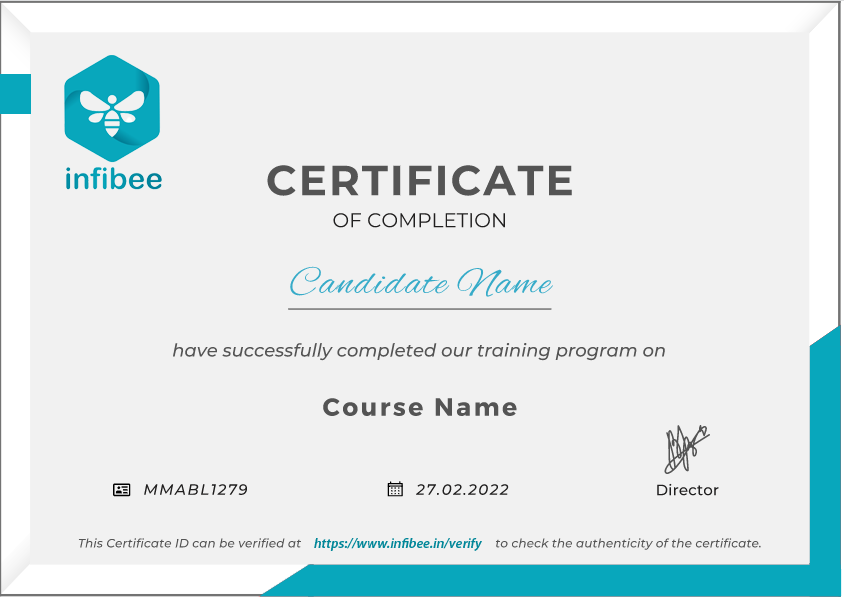
After you complete the course, Infibee Technologies will grant you a Power BI certification which is recognized worldwide. The certification proves your ability to perform data analysis and create data visualizations, which helps you gain credibility and obtain better job opportunities with major multinational companies. The certification demonstrates your ability to work in practical situations while showing your readiness for the professional world.

Alumni Hired in Top MNCs

TCS, Infosys, Wipro, Capgemini, Cognizant

Modes of Power BI Training in Pune at Infibee Technologies

  • Classroom Training
  • Online Instructor-Led Training
  • Corporate Training
  • Self-Paced Learning

Global Certifications Available for Power BI Training in Pune

S.No Certification Code Cost (INR) Certification Expiry
1 PL-300 15,000 2 Years
2 DA-100 18,000 2 Years
3 MCSA BI Reporting 20,000 Lifetime

Benefits of Learning the Power BI Course in Pune

  • Hands-on training on live projects

  • Master interactive dashboards and reports

  • Enhance data analysis and visualization skills

  • Industry-relevant curriculum with real-time case studies

  • Boost career opportunities with high-paying jobs

  • Access to lifetime recorded sessions

What You’ll Learn

  • Power BI Desktop & Service fundamentals

  • Advanced DAX calculations and data modeling

  • Data visualization techniques for business intelligence

  • Real-time dashboards and Power BI report building

  • Integration with Excel, SQL, and other data sources

Who Can Join?

  • Freshers looking to start a career in data analytics

  • IT professionals aiming to upskill in Power BI

  • Business analysts and data analysts

  • Graduates from commerce, science, or engineering backgrounds

Career Opportunities in Power BI Training in Pune

Experience Level Job Role Salary (LPA)
Freshers/Junior (0–3 yrs) Test Engineer Trainee 3–4.5
Junior QA Engineer 4–5.5
Automation Tester 4–5
Mid-Level (4–8 yrs) Test Engineer 5–8
Senior QA Engineer 8–12
Test Automation Specialist 8–12
Testing Lead 8–12
Senior/Experienced (9+ yrs) Principal Test Engineer 12–18
Head of Testing 15–20
Testing Consultant 18–25
Specialized Roles Security Tester 10–15
Testing Specialist 10–15
Testing Expert 12–20

Who’s Hiring Power BI Professionals?

  • TCS

  • Infosys

  • Wipro

  • Cognizant

  • Capgemini

Can I Study Power BI Training in Other Locations?

Power BI Training is offered to other cities as well as Power BI Training in Bangalore, Power BI Training in Hyderabad, Power BI Training in Chennai, and Power BI Training in Delhi. While Infibee Technologies is providing hands-on training, experienced mentors, and placement support, which goes hand in hand with what candidates look for specifically in Pune, that is what makes us the number one choice.

How to Register for Power BI Training in Pune at Infibee Technologies

Step 1: Register for a Free Demo

  • Visit our website and submit the inquiry form

  • Participate in a free demo session to understand our teaching methodology

Step 2: Select Your Training Mode

  • Choose between classroom, online, corporate, or self-paced training

  • Confirm your batch timing and convenience

Step 3: Start Your Power BI Training in Pune Journey

  • Begin learning with expert instructors

  • Work on real-time projects

  • Get ready for Power BI Training in Pune certification

Enroll Today: Unlock Your Power BI Training in Pune Potential!

Join Infibee Technologies, the leading Power BI Training Institute in Pune, and elevate your career with high-paying jobs, global certification, and hands-on industry training. Don’t wait—start your Power BI journey today and become a data-driven professional in top companies.

Read More...
Get In Touch With Our Career Expert

Upgrade Your Skills & Empower Yourself

Why People Choose Infibee ?

Upcoming Power BI Bacth Details

23-02-2026
Mon-FriWeekdays Regular
08:00 AM & 10:00 AM Batches(Class 1Hr - 2Hrs) / Per Session
25-02-2026
Mon - FriWeekdays Regular
06:00 PM & 08:00 PM Batches(Class 1Hr - 2Hrs) / Per Session
20-02-2026
Sat-SunWeekend Batch
09:00 AM & 01:00 PM Batches(Class 2Hr - 4Hrs) / Per Session
Can't find a batch? Pick your own schedule

Power BI Course Syllabus in Pune

Join our comprehensive Power BI Course in Pune! Start with foundational Power BI concepts like data visualisation techniques and advanced topics like data modelling and DAX calculations. Engage in hands-on projects guided by industry experts, gaining practical experience to create interactive dashboards and reports. Ideal for both beginners and experienced professionals seeking to enhance their skills in Power BI. Unlock your potential in selenium testing with our customised syllabus designed to upgrade your career in business intelligence.

  • Introduction to Business Intelligence (BI)
  • Stages of business intelligence (BI)
  • Use cases of BI
  • Various BI tools
  • Overview of Data warehouse and concepts
  • Introduction to Power BI
  • Why Power BI
  • Power BI Components
  • Power BI pricing structure
  • Building blocks of Power BI
  • Architecture of Power BI
  • Power BI vs Tableau vs QlikView
  • Overview of Power BI desktop
  • Data sources in Power BI
  • Using files (excel, pdf, csv, etc.) as a data source
  • Using SaaS connectors
  • Extracting data from folders and databases
  • Working with Azure SQL database and database sources
  • Connecting to Analysis Services
  • Other data sources (OData, web, SharePoint, etc.)
  • Python and R scripts in Power BI
  • Introduction to the Power editor
  • Advance editor
  • Query dependency editor
  • Shaping data using Power Query Editor
  • Formatting data
  • Transformation of data
  • Understanding of Data types
  • Data profiling for data quality check
  • Naming conventions and best practices to consider
  • Identify and create appropriate keys for joins
  • Working with Parameters
  • Merge Query
  • Append Query
  • Group by of data (aggregation of data)
  • Applied steps (query settings)
  • Duplicate and Reference tables
  • Transpose of data
  • Fill
  • Pivot and unpivot of data
  • Custom columns
  • Conditional columns
  • Replace data from the tables
  • Split columns values
  • Move columns and sort of data
  • Detect data type, count rows and reverse rows
  • Promote rows as column headers
  • Hierarchies in Power BI
  • M query
  • Introduction of relationships
  • Creating relationships
  • Cardinality
  • Cross-filter direction
  • Use of inactive relationships
  • Introduction of DAX
  • Why DAX is used
  • DAX syntax
  • DAX functions
  • Context in DAX
  • Calculated columns using DAX
  • Measures using DAX
  • Calculated tables using DAX
  • Learning about table, information, logic, text, and iterators
  • Time intelligence functions (YTD, QTD, and MTD)
  • Cumulative values, calculated tables, and ranking and ranking over groups
  • Date and time functions
  • Identify poorly performing measures, relationships, and visuals
  • DAX advanced features
  • A deep dive into Power BI data visualisation
  • Understanding Power View and Power Maps
  • Data visualisation techniques
  • Page layout and Formatting
  • Power BI Desktop visualisation
  • Formatting and customising visuals
  • Visualisation interaction
  • Custom visualisation in Power BI
  • Top-down and bottom-up analytics
  • Drill down
  • Drill through
  • Page navigations
  • Bookmarks
  • Selection pane to show or hide visuals
  • Comparing volume and value-based analytics
  • Introduction to Power BI Service
  • Introduction of workspaces
  • Dashboard
  • Creating & Configuring Dashboards
  • Dashboard theme
  • Reports vs Dashboards
  • Building workspace Apps
  • Sharing reports & dashboards
  • configure subscriptions and data alerts
  • Paginated report
  • Introduction to Power Q & A
  • Ask questions about your data using Natural Query Language
  • Getting answers in the form of charts, graphs, and data discovery methodologies
  • Configure custom questions for Q&A like FAQ
  • Ad-hoc analytics building
  • Power Q&A best practices
  • Quick Ins
  • Subscribe, Alerts, Usage statics, Related content
  • Design reports on Power BI Service
  • Collaboration using Power BI Service
  • Getting to understand Power BI Desktop settings
  • Aggregating data from multiple data sources
  • Power BI Service settings
  • Power BI Admin Portal
  • Administration activities
  • Power BI usage analysis
  • Introduction of Office 365 admin activities
  • Introduction to the Data Gateway
  • Installation and Configuration of data gateways
  • Scheduling auto-data refresh
  • Managing groups, row-level security, datasets, reports, and dashboards
  • Real-time data analysis using Direct Connectivity
  • Direct Query vs Import Mode
  • Introduction to embedded Power BI
  • Create embedded code
  • Manage embedded code
  • Integration of Power BI in SharePoint
  • Introduction to the Power BI API
  • Power BI Embedded Playground
  • Introduction to Power BI Mobile
  • Creating mobile-based reports and dashboards
  • Optimising report for the PowerBI mobile app
  • Features of the PowerBI mobile app
  • Introduction of integrating Power BI and Excel
  • Power BI Analysis in Excel
  • Introduction of Power BI Premium
  • Power BI Premium per user
  • Power BI Premium features
  • Introduction to Data Flow
  • Create a data flow.
  • Advantages of Data Flow
  • Create reports using Data Flow
  • Introduction to Power BI Deployment Pipelines
  • Create Deployment Pipelines
  • Benefits of Deployment Pipelines
  • Introduction of Sensitivity Labels
  • Introduction of Power BI Goals feature
  • Incremental data load in Power BI
  • use AI visuals
  • use the Forecast feature
  • Power BI best practice rules to improve performance
  • Understanding Common Interview Questions for Power BI Developers
  • Tips for Successful Interviewing
  • Behavioural Interviews and Technical Assessments
  • Mock Interview Practice and Feedback
  • Resume Writing Tips for Power BI Developers
  • Creating a Strong Developer Portfolio
  • Leveraging Online Platforms for Networking (LinkedIn, GitHub)
  • Strategies for Job Search and Building a Personal Brand
  • Overview of Job Portals and Platforms
  • Creating and Optimising Profiles on Job Portals
  • Searching for Power BI Developer Positions
  • Understanding Job Descriptions and Requirements
  • Tailoring Resumes and Cover Letters for Specific Job Applications
  • Application Strategies and Follow-Up Etiquette
  • Handling Multiple Job Offers and Negotiating Salaries
  • Keeping Updated with Industry Trends and Continuous Learning
Need customized curriculum?
Build Resume & Get PlacedPlacement Support With Resume Preparation & Interview Guidance

Hands On Power BI Projects

Enroll in our Power BI Classes in Pune, where our course focuses on providing high-quality training with a strong foundation in core concepts and a practical approach. Through exposure to current industry use cases and scenarios, participants will enhance their skills and gain the ability to execute real-time projects using best practices.

Sales Performance Dashboard

Create a dashboard that visualises sales performance metrics such as revenue, sales volume, and profit margin over time. Utilise Power BI's interactive visualisations to analyse sales trends, identify top-performing products, and track sales by region or customer segment.

Financial Performance Analysis:

One of the most interesting Power BI project ideas for novices is financial performance analysis. The foundation of this business intelligence project methodology is the optimisation of financial analysis for a company that offers accounting services to customers that require the prompt delivery of vital financial reports.

Movie Sales Visualization:

One of the most intriguing Power BI project ideas is the movie sales visualisation project. The goal of this project is to create an interactive visual experience using a dataset that displays movie sales over time. The IMDb dataset from 2006 to 2016 is accessible on Kaggle as well as IMDb.

For Corporates

Educate your workforce with new skills to improve their performance and productivity.

Corporate Training
"Leading Companies We've Served"
Our Instructor
Name
Mr. Kanaya Kumar
Experience
8+ Years
Specialized in
Excel,Advance Excel, VBA Macros, Data Science , Python , R Programing , SQL
More Details
Kanaya Kumar is one of Infibee's best-certified trainers, with over 8 years of experience working closely with industry experts. He has certifications in Excel,Advance Excel, VBA Macros, Data Science , Python , R Programing , SQL and can provide you with the best technologies.

Power BI Course Training Objectives

Our Best Power BI training in Pune aims to empower participants with complete skills and practical knowledge in this field. Objectives provide you with mastering core concepts, applying skills through real-world projects, critical thinking, and ensuring professional challenges. This enhances career development and contributes to industry advancement.

Power BI is one of the business analytical tools. With the help of reports, visualisations, and other analytics tools, users can compile and exchange data using this application. It facilitates the creation of business insight reports and graphics. A visual marketplace, a report builder, a report server, a Windows desktop app, an online cloud-based software as a service, and mobile apps for Windows, iOS, and Android tablets and smartphones are all available for Power BI.


PowerBI is the most powerful and full business intelligence tool available on the market. A person with no technical knowledge can also learn this. To use Microsoft Power BI, users do not need data analytics or engineering expertise. You will become an expert in Power BI with the topics covered in the syllabus at Infibee’s Power BI Training in Pune.

The following professionals want to take the Power BI certification exam:

  • Business Analysts
  • Business Development Managers
  • Marketing, finance, and sales professionals

Top Indian companies using Power BI:

  • Accenture
  • WNS
  • Hexaware Technologies
  • Ernst & Young
  • Capgemini
  • Dell International
  • Wipro BPS
  • Deloitte
  • Sony
  • Syngene International
  • Infosys BPO
  • HCL Technologies

The top companies using Microsoft Power BI worldwide are:

  • Rolls-Royce Holdings PLC (UK)
  • Kraft Heinz Co (USA)
  • Conde Nast (USA)
  • Dell (USA)
  • Meijer (USA)
  • Hospital Montfort (Canada)

According to a pay survey conducted by Payscale, Glassdoor, and talent.com, the wage range for Power BI professionals across several nations is as follows:


Countries

Power BI Developer: Highest Average Salary

India

₹10,01,095 per year

US

$134,798 per year

Australia

$234,000 per year

Canada

$110,006 per year

UK

£65,000 per year

Singapore

S$69075 per year

UAE

AED 132850

To apply for Power BI Global certification, visit the official Microsoft Learning website and navigate to the Power BI certification page. Choose the certification exam you wish to take, such as the Microsoft Certified Data Analyst Associate (DA-100) exam for Power BI. Register for the exam by creating a Microsoft account or signing in with your existing account. Schedule the exam at a Pearson VUE testing centre or opt for an online proctored exam.


Job Assistance Program

Our Job Assistance Programme offers you special guidance through the course curriculum and helps in your interview preparation.

Specialised Curriculum
Get on-field knowledge and skills from our expert instructors.
Assessment
Upgrade your on-field skills with our assessments and track your progress in real time.
Hands-on Project
Our hands-on project help you gain experience in real-time working.
Certification Guidance
A global certificate always helps you stand out from the crowd.
Portfolio Building
Experts guide you to maximise your profile with current industry trends that employers expect.
Placment Cell
We promote your abilities and showcase your portfolio to employers.

Power BI Career Opportunity

Power BI is the most common programming language, and it works on all computers and mobile devices without needing to be upgraded. It is one of the highest-paying careers in the software development industry, and those with the Power BI certification can earn an average of 10 LPA per year.

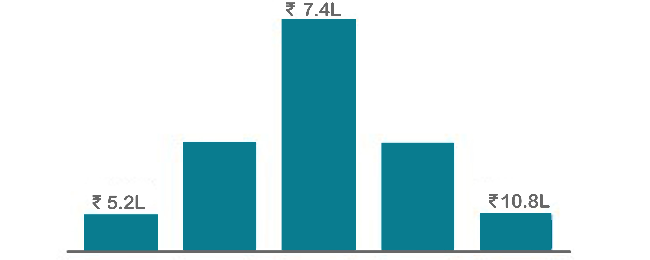
Annual Pay Scale
Placement Designation
Employers
Annual Salary
Hiring Companies

Placement Guidance & Interview Preparation

Infibee’s placement guidance navigates you to your desired role in top organisations, ensuring you stand out and excel in every opportunity.

images
I joined Infibee in order to take a Data Science Course. Being from a non-IT background, I believe that being an IT Professional will be difficult for me. But now I believe that joining Infibee is the best decision I've ever made. My overall experience has been excellent. The teaching and non-teaching staff are both excellent. I will never forget the experience I had with Infibee. Thank you for your help and support, Infibee.
Muthu krishnan
I graduated without an IT background, but Infibee has helped me advance my career as a data scientist. Here, mentors are very helpful. With the right guidance and dedication, you can achieve your dreams. Self-study is also crucial if you want to stand out from the crowd and seize your opportunities.Companies frequently visit Infibee for placements and take some incredible talent with them.
Pranali
I enrolled in Infibee's PG Data Science course. The training experience was excellent, with 80% practical training and 20% theory, which was extremely beneficial. I learned a great deal. My placement process began after I completed my course, and I am now working as an RPA and Data Science Intern at rsutra. Nisha Mam was extremely helpful during the placement process.
Yuvaraj
The courses on Infibee are excellent. It has great value. I was non IT person and joined for Data Science course it was really helpful and interesting learning with Infibee. Teachers are also incredible they did an excellent job of ensuring that we understood each concept. Excellent job setting up the mock test and interview. I enjoyed finding more skill out of me from Infibee.I appreciate Infibee's assistance in advancing my career.
Lavanya
I completed Full Stack Development Course at infibee. Infibee is the best training institute. My trainer taught us the best concepts out there. His teaching skills are great. They are having lots of knowledge. The way of teaching is also good. I am satisfied with the course. Glad to have found this institute.
Madhaiyan Madhan

Power BI Training FAQ's in Pune

Infibee Power BI Training In Pune offers wide range of services that suits for both fresher and experienced persons via both offline and online at your suitable time slots.

You need not worry about having missed a class. Our dedicated course coordinator will help them with anything and everything related to administration. The coordinator will arrange a session for the student with trainers in place of the missed one.

Yes, of course. You can contact our team at Infibee Technologies, and we will schedule a free demo or a conference call with our mentor for you.

We provide classroom, online, and self-based study material and recorded sessions for students based on their individual preferences.

Yes, all our trainers are industry professionals with extensive experience in their respective domains. They bring hands-on practical and real-world knowledge to the training sessions.

Yes, participants typically receive access to course materials, including recorded sessions, assignments, and additional resources, even after the training concludes.

We provide placement assistance to students, including resume building, interview preparation, and job placement support for a wide range of software courses.

Yes, we offer customisation of the syllabus for both individual candidates and corporate also.

Yes, we offer corporate training solutions. Companies can contact us for customised programmes tailored to their team’s needs.

Participants need a stable internet connection and a device (computer, laptop, or tablet) with the necessary software installed. Detailed technical requirements are provided upon enrollment.

In most cases, such requests can be accommodated. Participants can reach out to our support team to discuss their preferences and explore available options.

People Also Refer To Similar Courses

We offer courses that help you improve your skills and find a job at your dream organisations.

Power BI Training in Noida
5/5
Robotic Process Automation Testing Training in Noida
5/5
SAP Customer Service Training in Noida
5/5
Blue Prism Training in Noida
5/5
Other Courses

Courses that are designed to give you top-quality skills and knowledge.

Power BI Training in Noida
5/5
Robotic Process Automation Testing Training in Noida
5/5
SAP Customer Service Training in Noida
5/5
Blue Prism Training in Noida
5/5
SAP CRM Training in Noida
5/5
SAP CPI Training in Noida
5/5
Power BI Training in Noida
5/5
Robotic Process Automation Testing Training in Noida
5/5
SAP Customer Service Training in Noida
5/5
Blue Prism Training in Noida
5/5
SAP CRM Training in Noida
5/5
SAP CPI Training in Noida
5/5

Get In Touch With Our
Career Expert

Upgrade Your Skills & Empower Yourself